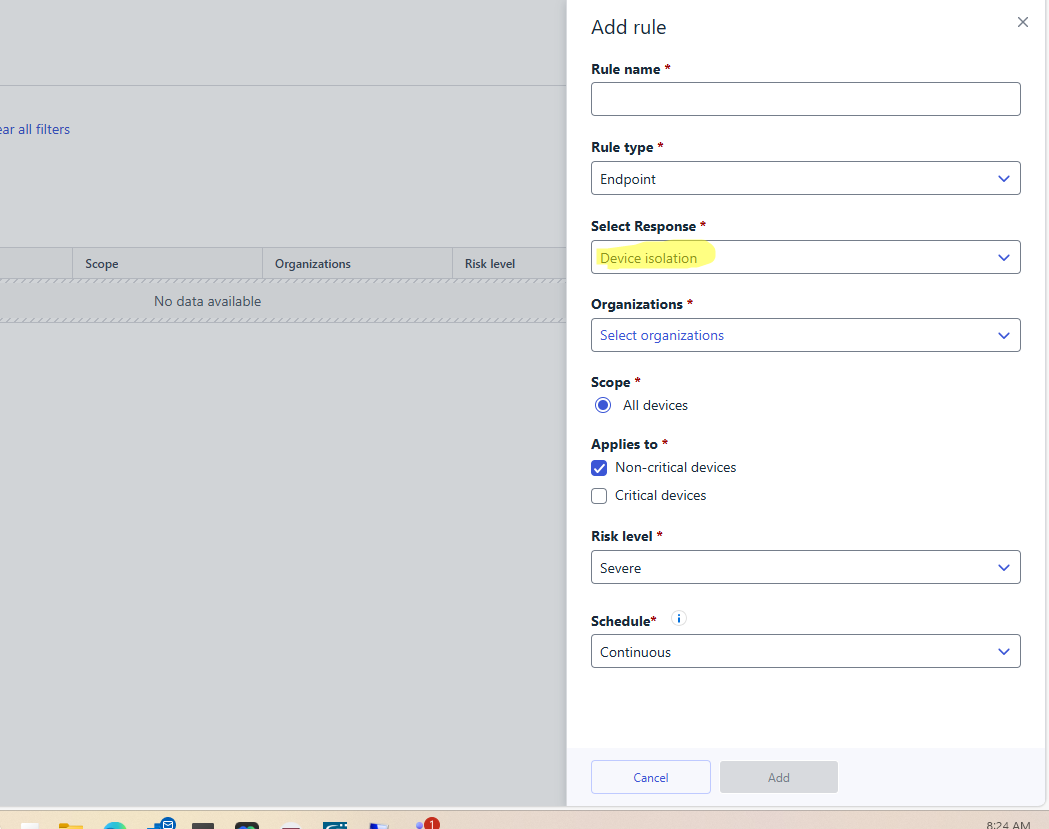
Hi all,
we are receiving alerts for the below script but when we close it it does not create a rule.
C:\WINDOWS\System32\WindowsPowerShell\v1.0\powershell.exe -NoProfile -NonInteractive -Command "[Console]::OutputEncoding = [System.Text.Encoding]::UTF8;" " Get-LocalUser | ForEach-Object { $userName = $_.Name $output = net user $userName $lastLogonLine = $output | Where-Object { $_ -match '^ *Last logon' } if ($lastLogonLine) { if ($lastLogonLine -match 'Last logon\s+(.*)') { $lastLogon = $matches[1].Trim() } else { $lastLogon = \"Not found\" } } else { $lastLogon = \"Not found\" } [PSCustomObject]@{ UserName = $userName LastLogon = $lastLogon } } | ConvertTo-Json -Compress "
This is legitimate. I am trying to add a rule but in " select response", the only option available is device isolation. So I don't want to proceed with the above script. Is there any other way that we can stop receiving alerts ?