As of February 2026 partner users can no longer self-register into the Partner Portal. Instead, their company administrators can add them to their company. This change enhances security and removes the waiting time for activating new accounts.
Here is how to add a new user account to Partner Portal as a Partner Portal administrator:
- Log into WithSecure Partner Portal at
https://www.withsecure.com/partnerportal/
- Click your name in the upper left corner and select Account Management.

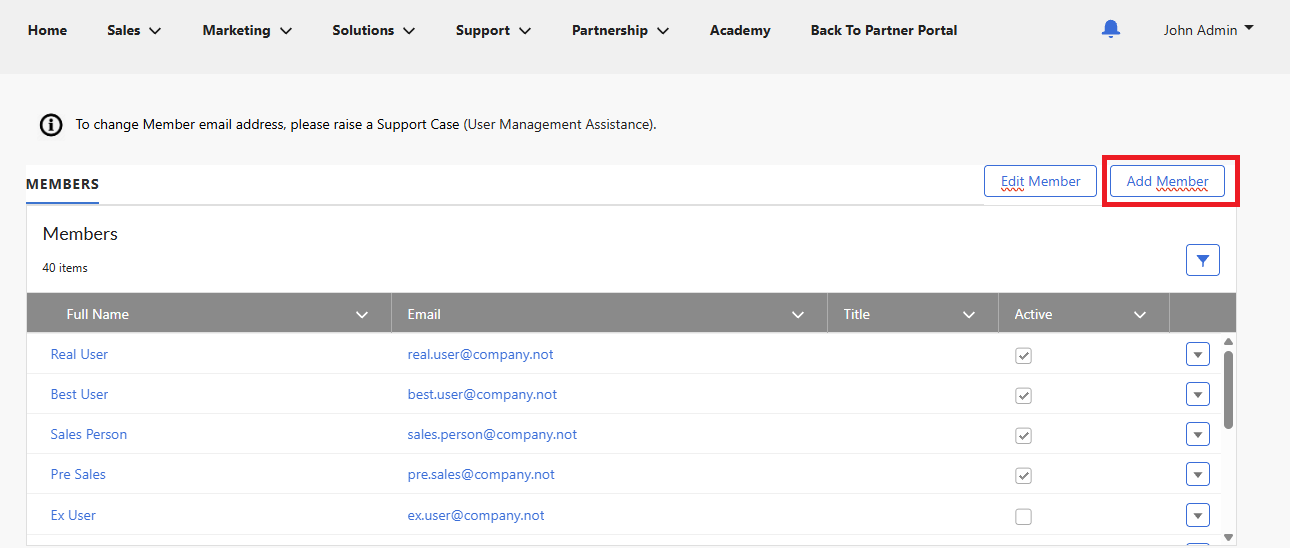
- Click Add Member on the top right of the table.
- Fill the fields for the new user. In addition to contact details, you need to set user roles for the user. Click the small icon next to a role to learn what the role entails. Please note that all users have the “Academy & Support User” role and it cannot be removed.
- Click Save – Partner Portal sends the user an email on how to proceed with the account creation.